
Two customers.
One vehicle.
Same time.
Few situations create more unnecessary chaos for a car rental operator than realizing the same vehicle has been committed to multiple bookings.
Double bookings and vehicle allocation conflicts often begin as small coordination mistakes. A booking gets updated on WhatsApp but not in Excel. A vehicle’s return is delayed. A driver is reassigned without informing dispatch. A corporate booking is added at the last minute.
Suddenly, the operations team is searching for another vehicle minutes before a trip.
As a rental business grows, managing vehicle availability manually becomes increasingly difficult.
Car Rental Software can help operators centralize bookings, vehicle availability, trip schedules, and allocations so that dispatch teams know what is available before confirming the next booking.
Here are the key ways rental businesses can reduce booking conflicts and improve vehicle allocation.
1. Stop Managing Vehicle Availability Across Multiple Places
Many growing rental businesses use a combination of:
- Excel sheets
- WhatsApp groups
- Phone calls
- Driver messages
- Paper registers
- Separate booking records
The problem is not necessarily that these tools do not work.
The problem is that they do not always show the same information at the same time.
A vehicle may appear available in one spreadsheet even though another team member has already committed it to a customer.
A centralized Car Rental Management Software creates a common system where booking and vehicle information can be managed together.
This reduces the risk of decisions being made using outdated information.
2. Check Vehicle Availability Before Confirming a Booking
Every new booking creates one important question:
Do we actually have the right vehicle available?
This becomes more complicated when customers request specific:
- Vehicle categories
- Pickup times
- Locations
- Rental durations
- Driver requirements
- Corporate service requirements
A Vehicle Booking Software should allow the operations team to check availability before assigning a vehicle.
Instead of manually comparing multiple schedules, dispatchers can see which vehicles are already committed and which are available for the requested period.
That makes booking confirmation faster and more reliable.
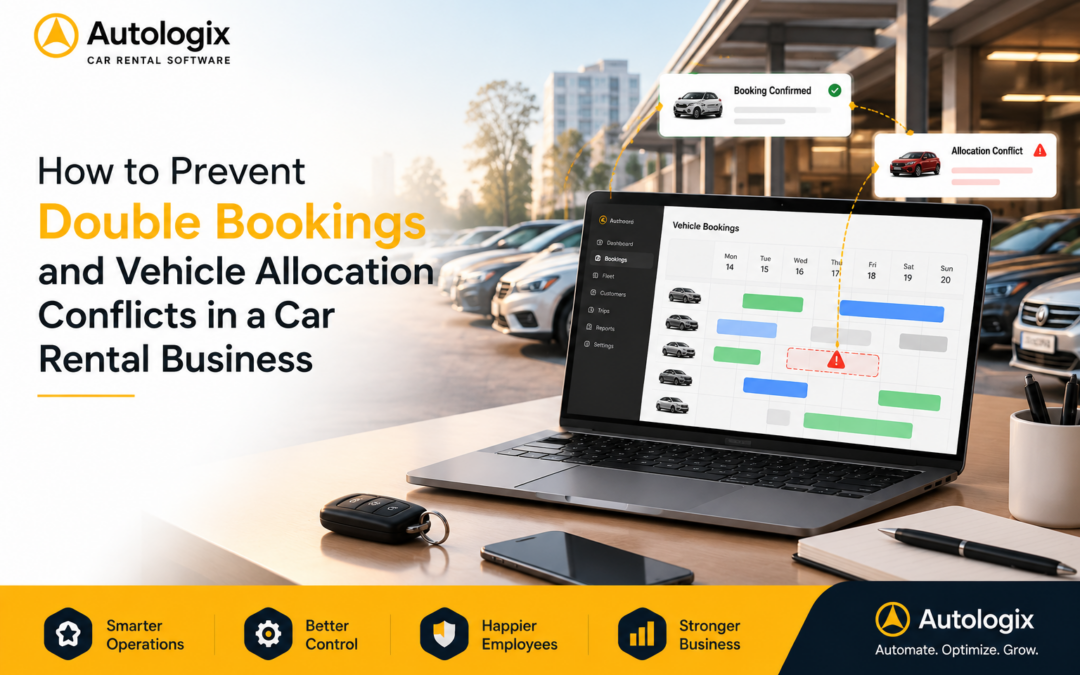
3. Create One Booking Calendar for the Entire Operation
A centralized booking calendar can significantly simplify rental operations.
Instead of asking:
“Is this vehicle free tomorrow?”
the operations team should be able to check the schedule directly.
A good Rental Booking Software should provide visibility into:
- Upcoming bookings
- Current trips
- Vehicle availability
- Pickup schedules
- Expected returns
- Driver assignments
- Booking modifications
This becomes particularly important when a rental company handles dozens or hundreds of bookings every day.
One shared booking view reduces coordination gaps between sales, booking, and dispatch teams.
4. Account for Vehicle Return Times
A vehicle may technically have two different bookings on the same day.
That does not necessarily mean it can complete both.
Suppose a vehicle is expected to return at 2:00 PM and its next pickup is scheduled for 2:15 PM.
On paper, the bookings do not overlap.
Operationally, the schedule may be unrealistic.
The vehicle may need time for:
- Traffic delays
- Cleaning
- Refueling
- Inspection
- Driver changes
- Repositioning to the next pickup point
Rental businesses should consider turnaround time when planning vehicle availability.
Better scheduling helps prevent tight allocations from turning into last-minute problems.
5. Handle Booking Changes in Real Time
Rental bookings rarely remain exactly as originally planned.
Customers may:
- Extend a rental
- Change the pickup time
- Change the drop location
- Request another vehicle
- Cancel the booking
- Add an additional trip
If these changes are communicated only through calls or WhatsApp messages, another team member may continue working with the old schedule.
That is how allocation conflicts begin.
With centralized Car Rental Software, booking changes can be reflected in the operational system so teams have access to updated information.
The faster changes become visible, the easier it becomes to adjust vehicle allocation.
6. Connect Booking and Dispatch Operations
Booking and dispatch should not operate as two separate worlds.
The booking team may promise the vehicle.
The dispatch team has to deliver it.
If the booking team cannot see operational availability, they may confirm requests that become difficult to fulfill.
A connected Car Rental Business Software can help teams manage:
- Customer bookings
- Vehicle allocation
- Driver assignment
- Trip scheduling
- Dispatch status
- Booking changes
This creates better coordination between the team accepting the booking and the team executing it.
7. Track Vehicles That Are Temporarily Unavailable
Not every vehicle sitting in the parking area is actually available for a booking.
Some vehicles may be:
- Under maintenance
- Awaiting repairs
- Reserved for another customer
- Pending documentation
- Being cleaned
- Temporarily out of service
If these vehicles remain visible as available in manual records, dispatch teams can accidentally allocate them.
A centralized system should clearly show vehicle status.
This gives teams a more realistic picture of usable capacity rather than simply total fleet size.
8. Manage Driver Availability Along With Vehicle Availability
A vehicle can be available while its driver is not.
For chauffeur-driven rental businesses, this creates another layer of complexity.
Operations teams need to coordinate both:
Vehicle availability + Driver availability
A booking system should help teams understand:
- Which drivers are assigned
- Which drivers are available
- Current trip schedules
- Upcoming assignments
- Potential scheduling conflicts
This becomes increasingly important as the number of daily trips grows.
Good allocation is not just about finding an available car.
It is about finding the right operational combination to complete the booking.
9. Plan Corporate Bookings More Effectively
Corporate rental contracts can create recurring and high-volume booking requirements.
A business client may need:
- Daily airport transfers
- Executive travel
- Employee pickups
- Guest transportation
- Event transportation
- Multiple simultaneous bookings
These bookings can consume a significant portion of available capacity.
Without proper planning, operators may continue accepting retail or other bookings without realizing that vehicles have already been committed to corporate customers.
A centralized booking system gives operators better visibility into future demand.
This helps protect committed capacity while still maximizing available vehicles.
10. Use Booking Data to Prepare for Peak Demand
Preventing allocation conflicts is not only about managing today’s bookings.
Historical booking data can help operators understand when demand is likely to increase.
For example, reports may reveal:
- High-demand weekdays
- Peak booking hours
- Frequently requested vehicle categories
- Seasonal demand patterns
- Corporate booking trends
- Periods of low availability
Operators can use this information to plan capacity before demand becomes difficult to manage.
Better planning reduces dependence on last-minute vehicle arrangements.
Bonus: Don’t Confuse Fleet Size With Vehicle Availability
A rental company may own or manage 100 vehicles.
That does not mean 100 vehicles are available.
Some may already be booked.
Some may be on trips.
Some may be under maintenance.
Some may be waiting for drivers.
Some may be unavailable for operational reasons.
The number that matters during booking is not simply total fleet size.
It is available capacity for the required time, location, and vehicle category.
This is why real-time availability management becomes increasingly valuable as a rental business grows.
Why Businesses Choose Autologix
Autologix helps cab and car rental operators bring booking, vehicle, driver, trip, and dispatch operations into one connected system.
With Autologix, operators can:
- Manage customer bookings
- Check vehicle availability
- Schedule trips
- Allocate vehicles
- Assign drivers
- Manage booking modifications
- Coordinate dispatch operations
- Monitor vehicle utilization
- Manage corporate customers
- Access operational reports
- Manage multiple branches and locations
Instead of coordinating every booking through separate spreadsheets, calls, and messages, operators can manage critical rental operations from a centralized platform.
For growing rental businesses, this creates greater visibility while reducing unnecessary manual coordination.
Final Thoughts
Double bookings are rarely just booking problems.
They are usually visibility and coordination problems.
When booking information, vehicle schedules, driver availability, and operational changes are scattered across different systems, conflicts become increasingly difficult to avoid.
The solution is not simply adding more vehicles.
It is knowing exactly what capacity is available before making the next commitment.
The right Car Rental Software can help operators centralize bookings, improve vehicle allocation, manage changes faster, and reduce last-minute dispatch problems.
As the business grows, that visibility becomes essential for delivering a more reliable customer experience without creating unnecessary operational chaos.
FAQ
How can car rental software prevent double bookings?
Car rental software centralizes booking and vehicle availability information, helping teams check existing allocations before confirming new reservations.
What causes vehicle allocation conflicts in car rental businesses?
Common causes include disconnected booking records, delayed vehicle returns, last-minute booking changes, unavailable vehicles, driver conflicts, and poor communication between booking and dispatch teams.
Can car rental software show vehicle availability?
Yes. A car rental management system can help operators track vehicle schedules, bookings, trip status, and availability so teams can make better allocation decisions.
Why is real-time booking visibility important for rental businesses?
Booking conditions change throughout the day. Centralized visibility helps teams respond to extensions, cancellations, delayed returns, and new booking requests without relying entirely on manual communication.
Can car rental software help improve fleet utilization?
Yes. Better visibility into bookings, vehicle schedules, idle capacity, and demand can help operators use existing vehicles more effectively before adding additional fleet capacity.